Hybrid Retrieval Architecture for Document Search and SQL Lookups
Learn why document search should use hybrid vector retrieval while exact structured lookups go to SQL through MCP, with an agent routing both paths.

Key Takeaway
- Combine semantic and keyword search: The Seahorse Cloud Search API supports dense, sparse, and hybrid search, and Semantic Search lets you set Top K from 1 to 200 (default 5).
- Separate structured database queries: Route exact record lookups to relational databases using the PostgreSQL RDB MCP Server template.
- Unify orchestration with agents: Managed agents execute Model Context Protocol (MCP) tool calls alongside vector retrieval and usage tracking.
Forcing tabular records into document chunks leads to brittle text matching, while stuffing long PDFs into relational columns strips away semantic context. A routed hybrid retrieval design solves this by keeping the two jobs separate at the application layer. Unstructured passages flow through an ingestion and vector search pipeline, where Seahorse Cloud AI-based storage handles S3-compatible object storage, document parsing, semantic chunking, and automatic vector-database synchronization. Exact structured questions take a separate path to a relational database, coordinated by an agent that chooses the right retrieval route per prompt.
Document Ingestion and Vector Storage
Evaluating a unified single-store pattern against a routed multi-path architecture starts with how unstructured files enter the system. In many setups, developers have to wire together separate object buckets, OCR scripts, chunking libraries, and synchronization jobs just to make a PDF searchable.
Seahorse Cloud consolidates this document pipeline by integrating native semantic chunking directly with document parsing, embedding, and vector synchronization inside its ingestion workflow, which reduces the number of separate components you have to connect. Its AI-based storage combines S3-compatible object storage with VLM, OCR, and LLM document parsing, alongside automatic vectorization and synchronization to the vector database. Within this framework, uploaded files become searchable vector Tables without a separate embedding job.
When you create a Seahorse Storage instance, the platform automatically provisions a dedicated Table and index, then chunks, embeds, and loads your uploaded files into that Table. Underlying this storage workflow is Seahorse Database, a container-based managed vector database featuring a built-in control plane, multi-tenant isolation, table and schema management, real-time monitoring, and API-key authentication.
You do need to plan your index parameters before ingestion begins. Creating a Seahorse Storage instance fixes the embedding endpoint, dimension, M, and EF Construction values. However, as long as the required endpoints are configured, you can adjust query-time controls such as Search Mode, Top K, EF Search, and RRF K without provisioning a new Storage instance.
Combining Lexical and Vector Search
Even before structured SQL tables enter the picture, searching unstructured documents requires more than one retrieval method. A user might ask a broad conceptual question in one turn and paste an exact error string or part number in the next.
To handle both patterns on the document path, the Search API supports dense, sparse, and hybrid search using either text or vector queries. Understanding how each mode operates helps you match the query type to the right retrieval mechanics before-search:
- Dense search computes cosine or dot-product similarity across embedding vectors, making it strong for synonyms, paraphrases, and semantic similarity; it is recommended when results must remain robust across varied phrasing.
- Sparse search relies on BM25-family sparse-vector matching, which excels at proper nouns, technical terms, and exact-string searches; it is recommended when matching exact strings, code, or proper nouns matters.
- Hybrid search merges Dense semantic results and Sparse keyword results through Reciprocal Rank Fusion (RRF) and is recommended as the default for general queries.
Two main parameters govern how these modes return and blend candidates during a query. Top K sets the maximum number of results returned across Hybrid, Dense, and Sparse modes, with a default of 5 and an adjustable range from 1 to 200. When running in Hybrid mode, RRF K controls the Reciprocal Rank Fusion calculation that combines the Dense and Sparse rankings, defaulting to 60 within an available range of 10 to 100. Tuning Top K and RRF K at query time lets you balance lexical precision against semantic recall for document passages before deciding whether a prompt actually requires a database lookup.
Routing Structured Lookups via MCP
Vector and lexical fusion works well for manuals, reports, and tickets, but it is the wrong mechanism for checking live inventory counts, account balances, or order statuses stored in relational rows. Trying to sync every relational row change into a vector index introduces synchronization lag and loses the exact filtering of SQL. Instead, an application should route structured questions directly to the database.
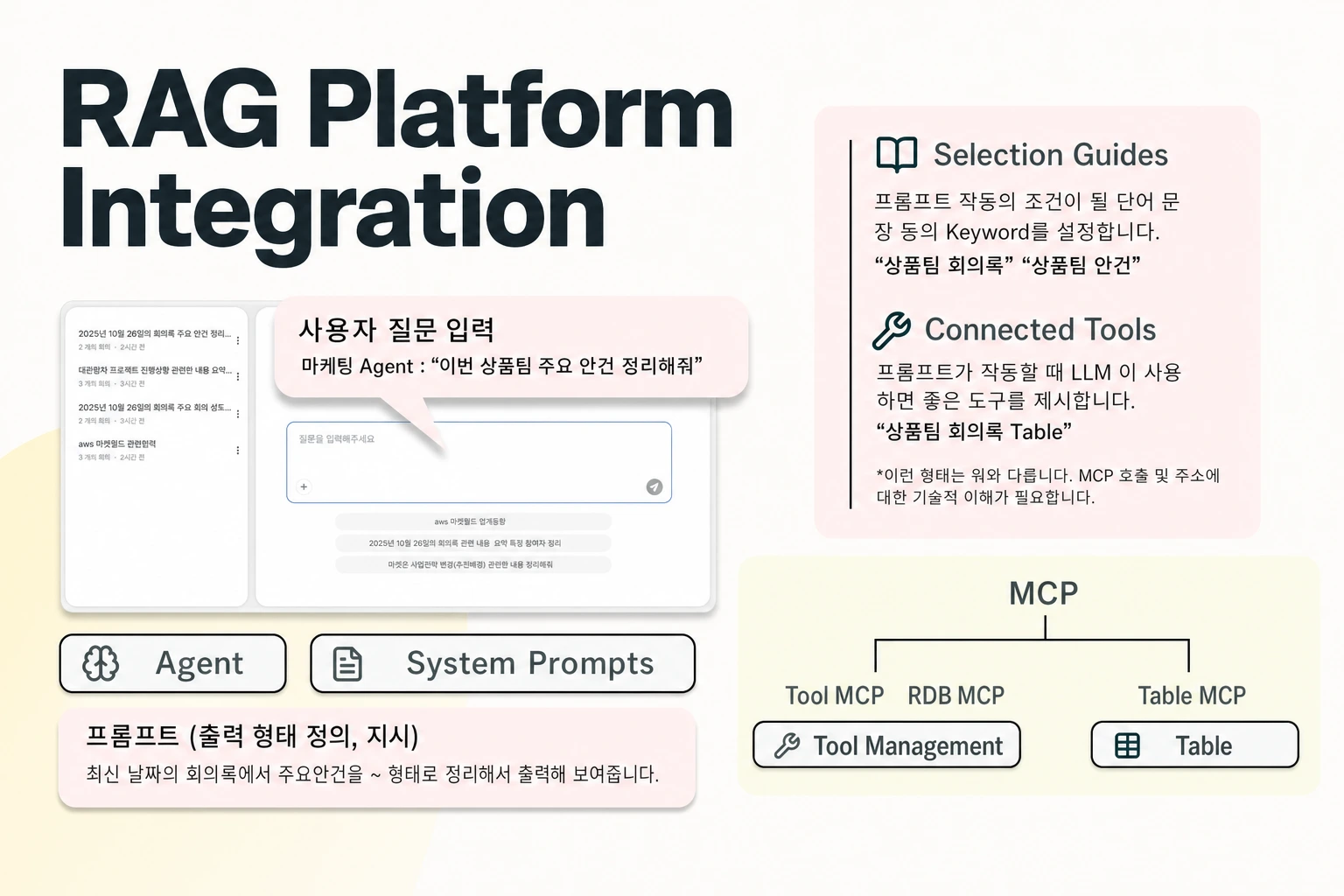
In Seahorse Cloud, a single agent can answer user questions, search tables, invoke tools, and connect to external databases. Here it is important to keep responsibilities distinct: MCP is the standard used for tool calling, while Agent Ops is the console area where agents, tools, and system prompts are managed.
For relational lookups, the platform provides a PostgreSQL RDB MCP Server template that runs on a managed server (rdb_server.py), uses System Default environment variables, and integrates the former RDB Endpoint. You attach these capabilities during agent configuration, where the Tools tab is dedicated to wiring MCP tools and RDB connections.
Connecting a live database through this path carries clear operational prerequisites. Setting up the PostgreSQL template requires a target database instance—such as AWS RDS or GCP Cloud SQL—along with a dedicated database user (read-only GRANT SELECT access is recommended) and configured network access.
Orchestrating Routes with Managed Agents
Once you have a hybrid vector store for documents and an MCP connection for PostgreSQL, something still has to manage the agent lifecycle, preserve conversation state, and expose the combined workflow to your application. Writing custom routing glue code often leaves teams without visibility into token usage or tool execution failures.
This orchestration layer is handled by AgentOps, which is part of Seahorse Cloud 2.0 for designing and operating custom AI agents using LLMs, a vector database, and MCP tool integration. In the console, Agent Ops covers agent creation and deployment, tool and system prompt connections, and access control.
At runtime, a Seahorse Agent operates as an MCP-standard cross-platform agent equipped with cross-session context memory and tool integration. Managed agents support MCP-standard tool calls, inference endpoint APIs, and usage tracking on top of the vector database and RAG.
FAQS
FAQ
How should an application support both document search and structured lookups?
Use a Seahorse Cloud agent that combines RAG over the vector database with MCP tool calls to external relational databases. Document passages are retrieved through Dense, Sparse, or Hybrid search via the Search API, while structured queries connect to databases such as PostgreSQL through the RDB MCP Server template.
Can we change from dense vector search to hybrid search without rebuilding the storage index?
Yes, as long as the required endpoints are configured, you can change Search Mode, Top K, EF Search, and RRF K at query time without creating a new Seahorse Storage instance. The embedding endpoint, dimension, M, and EF Construction parameters are fixed when the Storage instance is first created.
How is Seahorse Cloud delivered and hosted?
Seahorse Cloud is built on a Kubernetes-native architecture and is offered either as an on-premises installation or as a SaaS subscription.
Route Your Queries
Connect hybrid document search and PostgreSQL MCP tools in one agent.