Enterprise AI Assistant Platforms for Departmental Configuration and IT Data Control
Seahorse Cloud lets teams configure agents through a seven-tab workflow, with resource and access controls, and offers either a SaaS subscription or an on-premises installation.
Key Takeaway
- Use the console form: Seahorse Cloud configures AI agents through a seven-tab creation workflow.
- Bind registered resources: Connect agents to storage-created vector tables, tool-call-enabled inference endpoints, and registered MCP tools or RDB connections.
- Choose a deployment model: Adopt the platform through a SaaS subscription or an on-premises installation; the Enterprise plan lists private cloud deployment.
When business units ask to tailor AI assistants for their daily workflows, technical teams have to decide how much configuration flexibility to expose without losing control over data access boundaries. In Seahorse Cloud, AgentOps handles AI-agent creation, deployment, tool and System Prompt connections, and access control, and it launched with Seahorse Cloud 2.0 in September 2025.
Console-Based Agent Creation Workflow
Evaluating an assistant platform starts with how an agent is assembled and what inputs are required before it can go live. A seven-tab creation form defines the agent configuration, where Basic Settings is required and the other tabs are optional based on agent function and exposure.
The Seahorse Cloud SaaS service is operated through its control console. Within this interface, agent creation is organized into a form with seven tabs: Basic Settings, Users, Endpoints, Tables, Tools, Slack, and Rules, with no Prompts tab among them. Only the Basic Settings tab is required, while the remaining six tabs are configured optionally depending on the agent's function and exposure scope, and the configuration is finalized using the Save button at the bottom right.
Basic Settings is the single mandatory tab and defines the agent's name, description, API key permission (READ or WRITE), and subdomain. When reviewing this workflow for multi-team use, organizations should look at who in their operating model will have console access to complete these tabs and how subdomain and API permission standards will be reviewed across teams.
AgentOps Lifecycle and Architecture Roles
Beyond initial setup, teams operating multiple assistants need clear boundaries between data pipeline maintenance, agent lifecycle management, and external tool connectivity. Mixing these layers makes it harder to audit where an assistant retrieves its answers or how its runtime behavior is tracked.
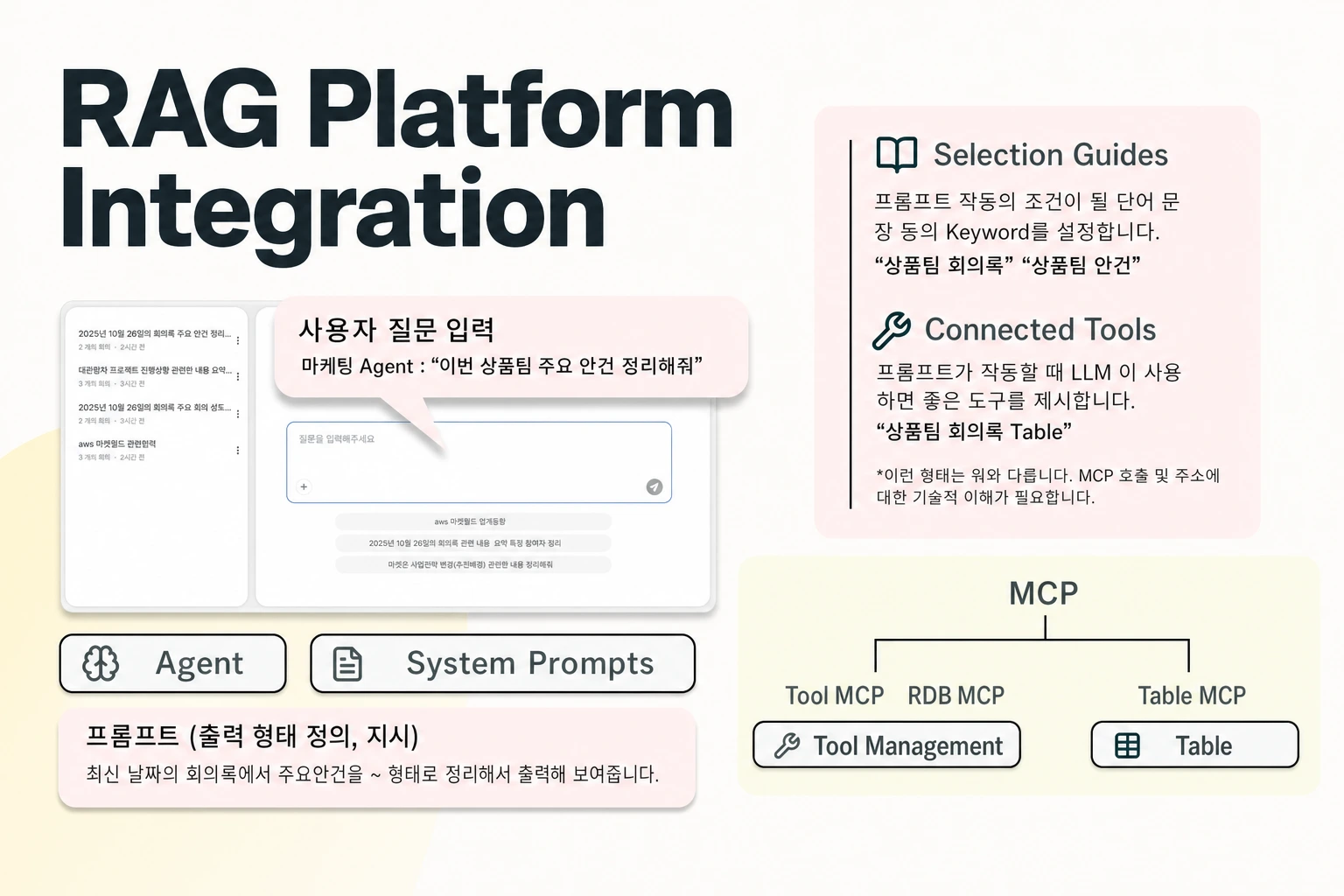
Within the platform, Storage, AgentOps, and the Model Context Protocol (MCP) serve distinct functions. Storage chunks and embeds uploaded files into vector tables. AgentOps, launched with Seahorse Cloud 2.0, uses large language models (LLMs), a vector database, and MCP tool integrations to design and operate custom AI agents, while MCP connects external data sources and tools such as GitHub, Slack, PostgreSQL, and Atlassian through a standard interface.
Managed agents in Seahorse Cloud are built on the vector database and RAG, supporting MCP-standard tool calls, inference endpoint APIs, and usage tracking. In the console workflow, once an operator clicks Save and the configuration passes validation, the agent is created in Deploying status. When deployment finishes, the status transitions to Ready, and the assistant becomes accessible through its dedicated Agent URL. Managed-agent usage is tracked, and each registered tool keeps a Recent Calls log for debugging and audit.
Configurable Agent Resources and Rules
When different teams need assistants tailored to specific tasks, the practical question is which models, knowledge bases, and external systems can be attached to an individual agent—and what prerequisites restrict those choices. In Seahorse Cloud, the optional tabs of the creation form configure these capabilities:
- In the Endpoints tab, an agent selects an LLM inference endpoint, and only inference endpoints with tool calling enabled are selectable.
- In the Tables tab, only vector tables created from storage can be selected for the agent to search, whereas manually created tables do not connect to agent search.
- In the Tools tab, builders select MCP tools and relational database (RDB) connections, provided those tools have been registered prior to selection.
- In the Slack tab, settings cover the Slack listener token and a default LLM.
- In the Rules tab, response rules and prohibited-word rule sets are available only in the On-prem environment; in Seahorse Cloud, the Rules tab is disabled and System Prompt serves as the Cloud alternative.
These technical prerequisites shape how central IT and individual project teams divide their work. An agent can only select storage-created vector tables, tool-call-enabled inference endpoints, and MCP tools or RDB connections that have been registered before selection. Teams evaluating cloud versus on-premises environments should also account for how behavior policies are enforced, since prohibited-word rule sets and response rules in the Rules tab require an On-prem environment rather than the Cloud System Prompt.
User Access Control and Permission Boundaries
Giving teams dedicated assistants requires clear rules on who can query each deployed agent and how underlying document permissions behave after data is indexed. Misunderstanding default access states can accidentally expose an assistant to an entire tenant.
The agent's Users tab provides access control for whether authentication is required and which users are permitted to access the assistant. Operators can select specific users for an agent, or leave the selection empty to allow access to all authenticated users. Specifically, in Seahorse Cloud agent user settings, when Require Authentication is turned on and the selected user list is empty, access is granted to all authenticated tenant users. Removing the last selected user from the list reverts to this tenant-wide authenticated access rather than creating a deny-all state.
Administrators must also distinguish between agent-level user selection and document-level access updates. The official manual documents access control at the agent level (Users tab) and does not describe per-document permission sync, so check how source-system permissions should map to storage-backed tables. Because an empty user list with authentication enabled opens the agent to all authenticated tenant users, IT teams need explicit operating procedures for populating the Users tab and managing storage-backed tables for restricted data.
Data Isolation and Deployment Options
For organizations with strict security and compliance mandates, where the platform runs and how the database separates workloads are just as important as how agents are configured in the console. Evaluating this layer requires separating database-level isolation from commercial licensing and physical hosting.
At the storage layer, Seahorse Cloud's managed vector database is container-based, with a built-in control plane, multi-tenant isolation, table and schema management, real-time monitoring, and API-key authentication. While the managed vector database provides multi-tenant isolation and API-key authentication, organizations should decide how they map tenants, tables, and API keys to their internal organizational structure rather than assuming database multi-tenancy automatically mirrors internal department boundaries.
At the platform deployment layer, Seahorse Cloud features a Kubernetes-native architecture and is available either as an on-premises installation or as a SaaS subscription. The Enterprise plan on the pricing page also lists private cloud deployment.
FAQS
FAQ
How can an organization allow customized assistants while keeping data sources under central control?
In Seahorse Cloud, an agent's Tables and Tools tabs only allow selecting vector tables created from storage and MCP tools or RDB connections that have been registered before selection. Individual agents are configured across the seven-tab console workflow, and the Users tab selects specific users or allows all authenticated users when left empty.
What happens if we remove all selected users from an agent's Users tab while authentication is enabled?
Removing the final user from the list does not block access for everyone; instead, it opens the assistant to all authenticated users in the tenant.
Can we use the Rules tab for prohibited-word rule sets in all environments?
No. In Seahorse Cloud, the Rules tab is disabled, and operators use the System Prompt as the alternative.
Build your first agent
Use the console tabs to link vector tables, endpoints, and user rules.