Evaluating AI Platforms for Non-Engineering Teams
Compare document ingestion, monitoring and agent administration, then see which Seahorse Cloud search settings teams can change without creating new storage.
Key Takeaway
- Evaluate everyday tasks: Ask business users to upload a policy document, review a sample answer, and identify which steps require IT help.
- Separate daily responsibilities: Split day-to-day work between the storage pipeline for documents, Agent Ops for agents, tools, and access, and MCP for standard tool calling.
- Tune search without rebuilding: Adjust query-time settings like Search Mode and Top K on existing storage whenever the required endpoints are configured.
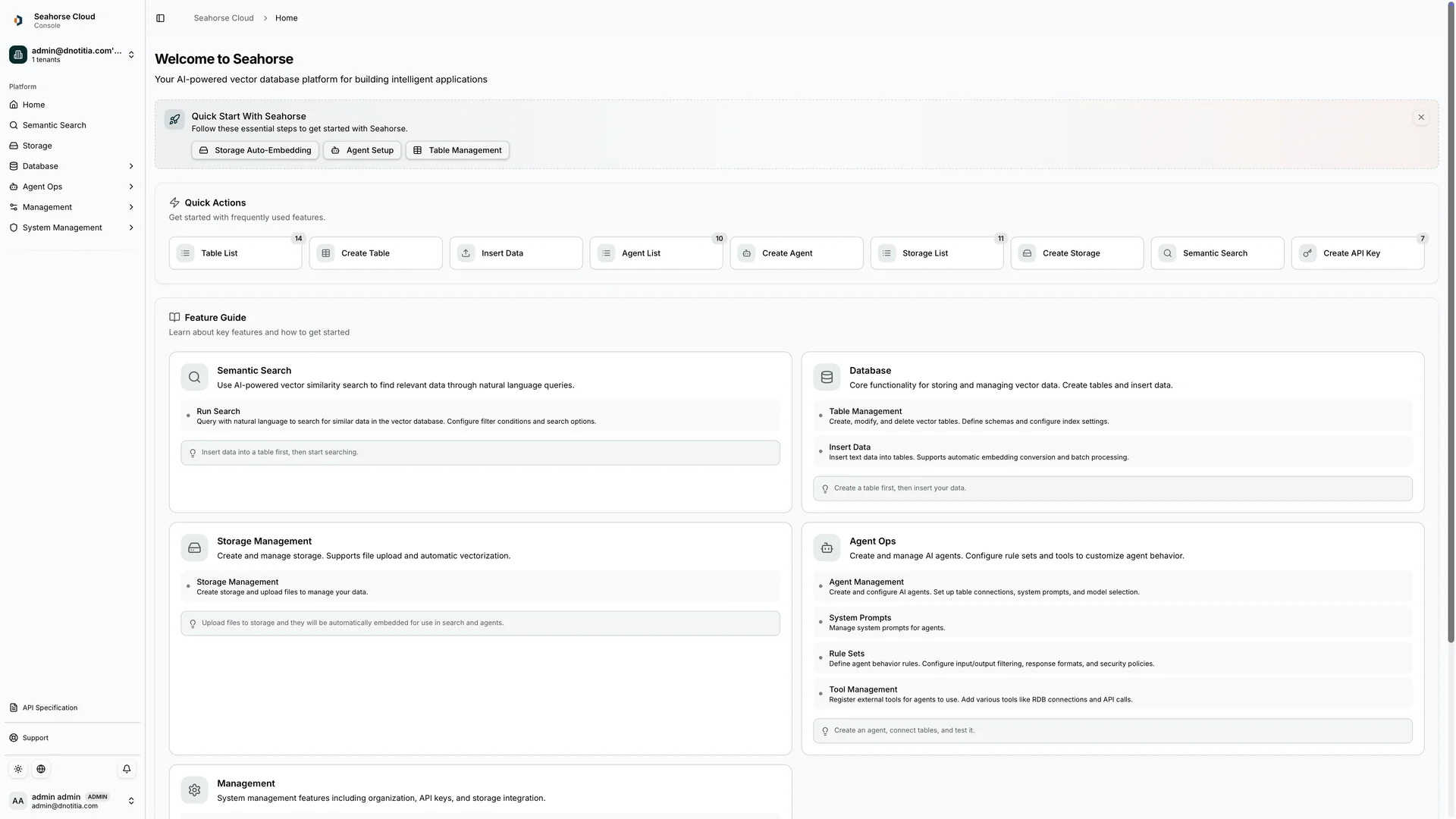
Handing an enterprise AI system over to a business or operations team often reveals a gap between initial deployment and daily maintenance. When files change, prompts need refinement, or search relevance drops, teams without dedicated software engineers may prefer not to rewrite pipeline code or rebuild vector indexes from scratch. Evaluating whether a platform fits your day-to-day workflow means checking which tasks are handled by the system and which settings remain accessible through administrative controls. In Seahorse Cloud, creating a Storage generates a dedicated Table and index and loads chunked and embedded uploaded files into that Table.
Core Platform Scopes
When your team evaluates daily administration requirements, separating pipeline maintenance from agent governance prevents confusion over who owns each step of a workflow. Seahorse Cloud separates these scopes across its storage pipeline, Agent Ops, and MCP tool integration.
| Capability Area | Core Scope | Day-to-Day Operational Coverage |
|---|---|---|
| AI-based storage | Document pipeline | Parses uploaded files with VLM, OCR, and LLM, applies semantic chunking, and syncs vectors to the vector database automatically. |
| Agent Ops | AI agent management | Launched in September 2025 as part of Seahorse Cloud 2.0 to design and operate custom AI agents using LLMs, vector databases, and MCP tool integrations. Covers creating and deploying agents, connecting tools and system prompts, and controlling access. |
| MCP | External connectivity | Provides MCP-standard tool calling to external systems such as GitHub, Slack, PostgreSQL, and Atlassian. |
Defining these boundaries helps you assign clear ownership before launch.
Document Ingestion Workflow
Keeping a knowledge base current is one of the most frequent tasks for an operations team. If uploading a new policy PDF or spreadsheet requires manual parsing scripts and separate database ingestion jobs, updates quickly bottleneck on engineering availability.
Seahorse Cloud AI-based storage combines S3-compatible object storage, autonomous document parsing using VLM, OCR, and LLM, semantic chunking, and automatic vector database synchronization. When you create a Storage, the platform generates a dedicated Table and index, then chunks, embeds, and loads your uploaded files into that Table. Integrating semantic chunking with document parsing, embedding, and vector synchronization inside the document ingestion workflow reduces the need to wire separate components together.
Before handing file management to business operators, check how your documents are structured and governed. Native semantic chunking being part of the ingestion workflow does not by itself define how headings, tables, or section boundaries are preserved. In addition, the official documentation does not describe whether source-document permission changes carry over through vector synchronization, so your governance checklist should test file synchronization and access permission updates as two distinct steps.
Database and Agent Administration
Once documents are indexed and agents are live, daily work shifts to checking service status, updating prompts, and revoking or granting access. Instead of relying on command-line queries, your team needs clear visibility into what the vector database and deployed agents are doing.
| Component | Administrative Controls | Monitoring, Security, and Access Behavior |
|---|---|---|
| Seahorse Database | Container-based managed vector database with a built-in control plane for creating and managing vector-database tables, schema management, and manually inserting records. | Provides real-time monitoring, multi-tenant isolation, and API-key authentication. Calls made with a deleted Seahorse Cloud API key immediately receive an authentication failure (401); deleting a key revokes that credential without setting per-document permissions for other users or keys. |
| Managed Agents & Seahorse Agent | Agent settings control system prompts, nudge questions, and attributes. Built on the vector database and RAG, managed agents support MCP-standard tool calls and an inference endpoint API, while Seahorse Agent maintains context memory across sessions. | Supports usage tracking, and the agent list displays agent status, Agent URL, access, resources, and creation date. When Require Authentication is enabled and the selected-user list is empty, access is permitted to all authenticated tenant users; removing the last selected user does not trigger a deny-all state. |
Reviewing the authentication rules in the table above is especially important if your team manages sensitive internal assistants. Knowing how an empty user list behaves under Require Authentication, or what an API key deletion covers, helps administrators avoid unintended access gaps during routine user offboarding or permission audits.
Search Tuning Without Rebuilding
After a search assistant goes live, user feedback often points to retrieval quality issues—such as answers missing exact keyword matches or pulling too few reference passages. Routine optimization also depends on whether every search adjustment requires creating a new storage and re-embedding your entire document collection.
Seahorse Cloud Semantic Search uses meaning-based dense and sparse hybrid search with RRF. Furthermore, the Seahorse Search API supports dense, sparse, and hybrid search using text or vector queries. When the required endpoints are configured in Seahorse Storage, your team can adjust Search Mode, Top K, EF Search, and RRF K without creating another Storage.
To plan your deployment properly, separate these adjustable query-time parameters from the settings that lock in at setup. When a Seahorse Storage is created, the embedding endpoint, dimension, M, and EF Construction are fixed. Confirm those four foundational parameters before loading production files, while Search Mode, Top K, EF Search, and RRF K remain adjustable without creating another Storage when the required endpoints are configured.
FAQS
FAQ
What should we look for in a platform that a non-engineering team can operate day to day?
Look for a platform that combines document parsing, semantic chunking, and automatic vector database synchronization in the ingestion workflow so operators do not have to connect separate pipeline components.
How is Seahorse Cloud delivered and deployed across different infrastructure environments?
Seahorse Cloud features a Kubernetes-native architecture for deployment through standard resources, with options spanning on-premises installation for hosting and a SaaS subscription model.
Does deleting an API key restrict other users from accessing specific documents?
No, deleting a Seahorse Cloud API key immediately returns a 401 authentication failure for calls using that key, which revokes that credential but does not configure per-document permissions for other users or keys.
Try it now
See how these criteria hold up on the real thing.