Comparing Seahorse Cloud Search Modes and RAG Storage Options
Compare Seahorse Cloud’s Dense, Sparse, and Hybrid search modes on representative queries, review its Storage creation and search controls, and weigh database-extension, self-managed, cloud-managed, and integrated-platform options for enterprise RAG.
Key takeaways
For enterprise document RAG, choose a retrieval mode based on the questions employees ask: Dense search matches meaning, Sparse search supports exact word matching, and Hybrid combines Dense and Sparse results through Reciprocal Rank Fusion (RRF). Seahorse Cloud documents all three modes, but the right choice depends on how they perform on your documents and queries.
This guide explains how to compare those modes, what Seahorse Cloud fixes when you create Storage, and which retrieval controls can be tuned during search. It also sets out when extending an existing database or choosing a dedicated vector database may fit better, and how managed and self-hosted operation differ.
- Compare on your corpus: Test representative documents and questions across the search modes you plan to use.
- Plan Storage settings: Treat the Dense endpoint, resulting dimension, and index settings as creation-time decisions.
- Check ingestion and search: Use documented processing status and search controls to assess retrieval on your corpus.
Start by sampling real queries rather than comparing embedding model names in isolation. Include paraphrases, internal terminology, product or case identifiers, and questions that refer to facts expressed in different ways. For each query, record which passages should be retrieved and whether a wrong result could mislead the user. Then look at the first results under Dense, Sparse, and Hybrid using the same documents and queries. This makes the decision about retrieval behavior rather than a vendor label.
Seahorse Cloud’s Semantic Search documents three modes: Dense is meaning-based and finds results with similar context and meaning; Sparse is keyword-based and effective for exact word matching; Hybrid combines Dense and Sparse results through RRF. For these documented definitions, see the Semantic Search guide.
A practical first decision is therefore: do exact names and words carry the answer, do users mostly express ideas in different language, or do both patterns occur? Use that answer to select the candidate modes to test. Keep ingestion, chunk boundaries, index settings, and search controls stable while comparing, so a change in results can be attributed to the search mode rather than several variables at once.
Choose and provision the embedding setup
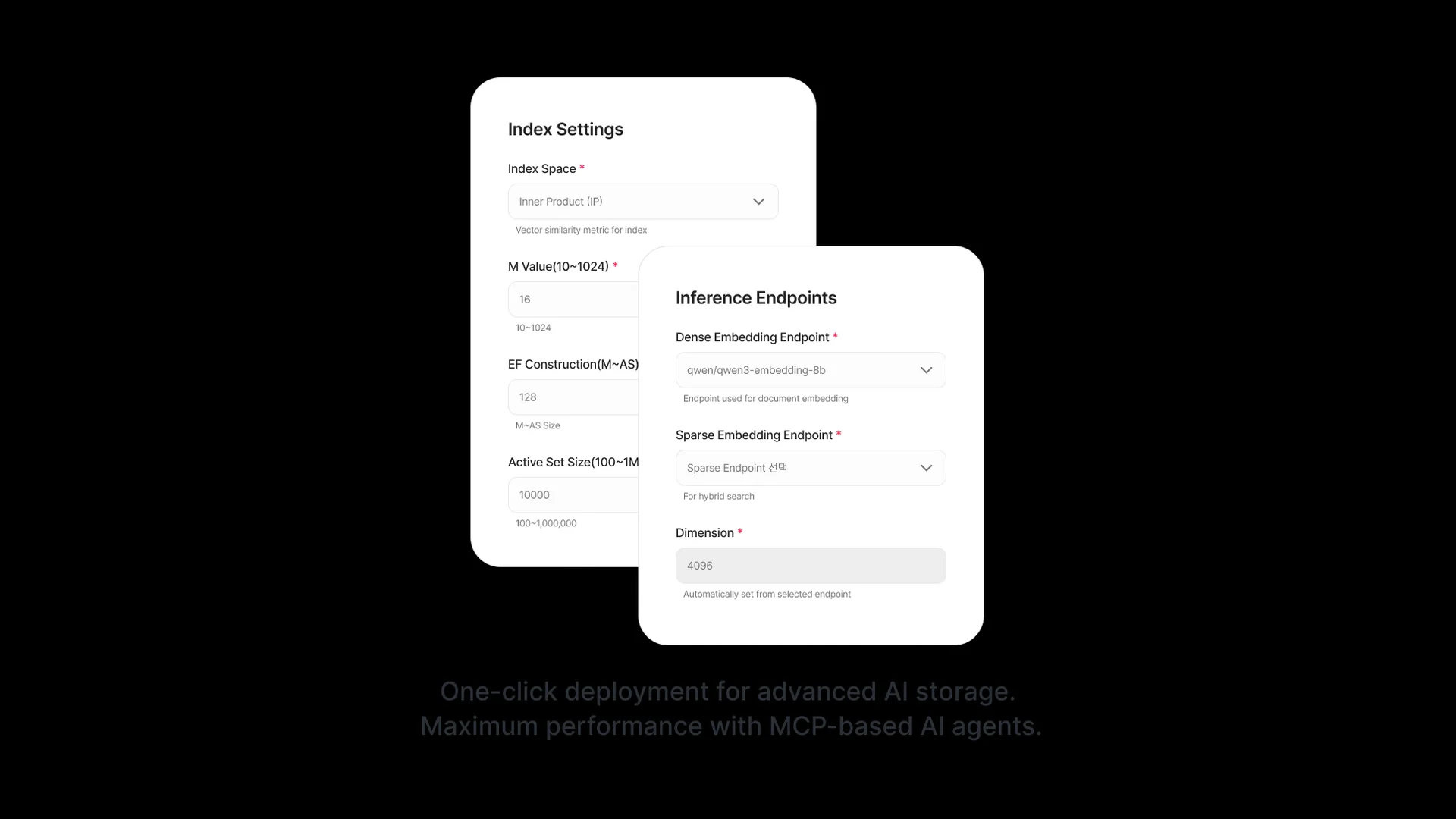
Choose the Dense embedding configuration before creating the Storage that will hold the document corpus. Seahorse Cloud’s Storage creation guide shows a Dense Embedding Endpoint field for meaning-based vectors. The selected Dense endpoint determines the vector dimension shown for the Storage. The guide gives qwen/qwen3-embedding-8b as an example Dense endpoint and 4096 as an example dimension; these are documented examples, not recommendations for every enterprise corpus. See the Storage creation guide.
For semantic matching across paraphrases, include Dense in the pilot. If the requirement includes exact terms such as policy IDs, product codes, or specialized vocabulary, include Sparse or Hybrid in the test set and inspect whether those terms reach the result list.
The Storage creation guide shows the Dense endpoint selection and that the dimension is assigned automatically from that endpoint. Run the candidate configuration against representative documents and questions, then compare retrieved passages against your own relevance labels. The guide’s example values describe interface fields; they do not establish which configuration will meet a particular corpus’s needs.
This choice has a lifecycle consequence. The Dense endpoint and resulting vector dimension are creation-time settings and cannot be edited afterward. Treat them as provisioning decisions, not casual query-time toggles. Review the Storage creation fields and examples alongside the documented search behavior before loading the production corpus.
Select a search mode and tune query-time controls
Evaluate the candidate modes with the same representative documents, queries, and relevance judgments. Compare which expected passages appear and where they rank, using the Semantic Search guide to confirm the available modes and controls.
Two controls have documented defaults and ranges. Top K sets the maximum number of results returned; the guide lists a default of 5 and a range of 1–200, and notes that returning more results can increase processing time. EF Search is an HNSW search parameter: the documented default is 200, with a range of 10–1000, and higher values can improve search quality while slowing search. These are interface defaults, not optimal settings for every workload. The Semantic Search guide documents both controls and their trade-offs.
Tune one control at a time. Keep the document set, query set, and relevance judgments fixed; compare results for each mode, then adjust Top K or EF Search where those controls apply. Record both whether the needed passage appears and where it ranks, along with response time observed in your test. Do not treat a larger result count as better if it floods the downstream answer with irrelevant material.
Use the result patterns to guide diagnosis. If an exact document identifier is absent, compare the candidate modes before changing the Dense model. If a paraphrase is missed, inspect the results for the modes included in your evaluation. If none returns the right passage, investigate parsing and chunk boundaries before assuming the vector index alone is responsible. The prerequisite Dense endpoint configuration is described in the Storage creation guide.
Treat index parameters as provisioning decisions
Decide how much index configuration you need before creating the Storage, because Seahorse Cloud’s Storage settings cannot be edited after creation. The Storage creation guide documents M Value and EF Construction settings for the HNSW index. The documented defaults are M Value 16 and EF Construction 128. It describes higher M as increasing accuracy and memory use, and higher EF Construction as improving index quality while increasing build time.
Those trade-offs do not establish which setting your workload should use. A team should first define a small, representative document set and the queries that matter, then compare retrieval results under candidate settings if the environment permits. Keep the quality target and search mode consistent during this comparison. Consider the operating impact as well: the product documentation explicitly connects M with memory and EF Construction with build time. Avoid copying another team’s values without checking whether its corpus and retrieval expectations match yours.
The creation boundary matters when planning a model or index change. The Storage creation guide states that Storage settings cannot be edited after creation. It says to create a new Storage and move the files to change the Storage name, endpoint, dimension, or HNSW parameters, then delete the existing Storage. Storage deletion is irreversible and immediately affects connected agents and RAG, according to the Storage detail guide. For a safe cutover, create the new Storage and move the files to it first. Confirm that processing reaches Completed, then validate the dependent agents and RAG against the new Storage. Delete the old Storage only after those checks pass: deletion cannot be undone and immediately affects services still connected to it.
For an initial deployment, keep the configured settings deliberate and note them in the pilot record. Separate a query-time adjustment from a creation-time change: Search Mode, Top K, and EF Search are search controls, while the Dense endpoint, dimension, M, and EF Construction are set during Storage creation. The Storage creation guide documents the creation fields and the Semantic Search guide documents the search-time parameters.
Compare database and operating models conditionally
Extending an existing database can be a reasonable option when keeping vectors alongside relational data is useful and the database’s capacity, supported vector types, and operating model fit the workload. For example, pgvector describes storing vectors with the rest of the data in Postgres. Its documentation lists a default 32 TB limit for a non-partitioned table and supports vector up to 2,000 dimensions, halfvec up to 4,000 dimensions, and sparsevec up to 1,000 non-zero elements. Those limits matter when choosing a representation and planning capacity.
A dedicated vector database is another option when its deployment and operating model better fit the application. Qdrant’s deployment documentation lists open-source installation through Docker, Kubernetes, or a binary on Linux, macOS, or Windows. With this self-managed deployment, the team runs the database and takes on its operation. Qdrant’s Managed Cloud documentation describes clusters run by Qdrant on AWS, GCP, or Azure; it also describes self-managed clusters on your Kubernetes infrastructure, where your team operates the database with the Qdrant Operator.
These choices have operational trade-offs beyond deployment. Qdrant notes that changing an embedding model requires updating and reindexing the data; a rebuild alongside a primary database can compete with production traffic, while a separate service can allow a new collection to be built before switching over. It also warns that vector workloads can dominate the use cases of a non-vector database if they are not optimized. Separation does not eliminate resource contention: Qdrant documents that background optimization can share CPU, memory bandwidth, and disk I/O with search work. A separate retrieval service also means another system to deploy, monitor, secure, and keep synchronized with the source of truth. See Qdrant’s discussion of dedicated vector search and its production guide. These points support comparing co-location and separation against the workload and operational capacity; they do not establish that one arrangement is always better.
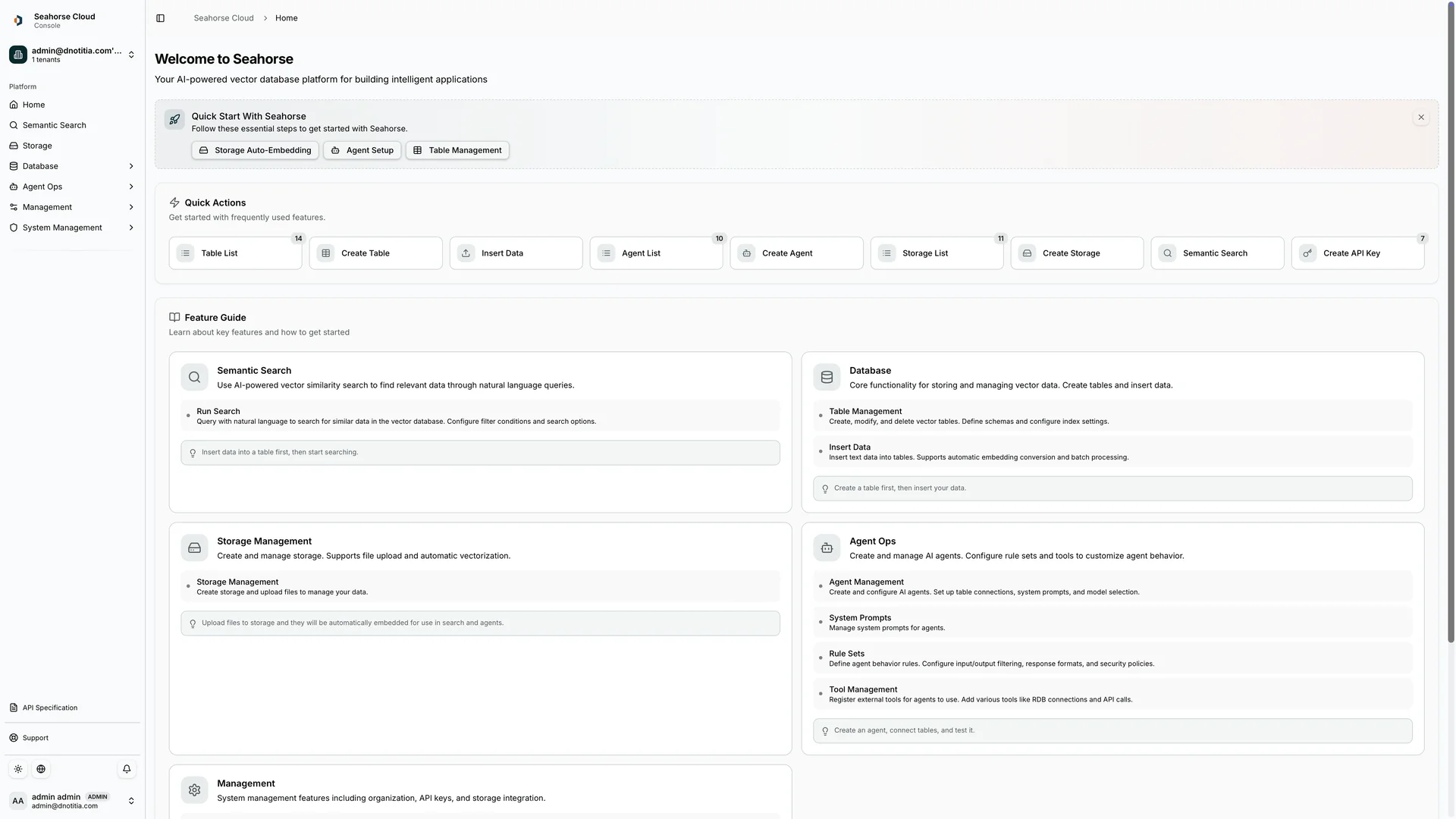
Seahorse Cloud takes an integrated approach: its product page describes a managed RAG platform spanning object storage, a vector database, autonomous document parsing, semantic chunking, automatic vector database synchronization, and managed agents. It is available as an on-premises installation or SaaS subscription. Consider that scope when the team wants document preparation and retrieval within one platform, while still evaluating the required capacity, deployment, and index lifecycle.
Pilot the full document-to-search path before committing
Before committing a production corpus, run a pilot with representative files and queries through the same document-to-search path employees will use. Check that the files are supported, that processing completes, and that the relevant passages appear for the real query patterns you identified. Seahorse Cloud Storage automatically chunks and embeds uploaded files; its Storage details show document processing status and a chunk count, which gives the team a way to confirm that ingestion completed before assessing search results. The Storage detail guide documents the Completed status and chunk count.
A useful pilot sequence is:
- Select documents that reflect the actual corpus, including the formats and layouts that are most likely to challenge extraction.
- Prepare a compact query set that includes paraphrases, exact names or identifiers, and questions with known source passages.
- Create a test Storage with the candidate Dense endpoint; record the assigned dimension and the index settings.
- Wait until the relevant files show Completed, then inspect the resulting chunks and run the same queries using Dense, Sparse, and Hybrid where available.
- Record whether the expected passage appears, its position in the results, any extraction or chunking issues, and the search controls used. Decide whether the setup meets the business requirement before replicating it for the full corpus.
AgentOps, RAGOps, and MCP
Seahorse Cloud’s product page describes a managed platform for RAG systems that includes managed agents, alongside object storage, a vector database, and document-processing capabilities. This scope is relevant for teams evaluating a platform that combines document preparation, retrieval, and agent systems.
RAGOps covers composing, operating, and monitoring RAG pipelines; AgentOps covers creating, deploying, managing, and monitoring AI agents; MCP supports data and tool integration for RAGOps and AgentOps. These terms describe different responsibilities, not interchangeable features. Confirm which components and responsibilities are part of the intended deployment.
Can I change a Storage endpoint or index settings after creation?
No. The Storage creation guide says that Storage settings cannot be edited after creation. To change the Storage name, endpoint, dimension, or HNSW parameters, create a new Storage and move the files to it. Confirm that processing reaches Completed and validate dependent agents and RAG against the new Storage before deleting the old one. Deletion is irreversible and immediately affects connected agents and RAG, according to the Storage detail guide.
How should I compare Seahorse Cloud’s search modes?
Use the same representative documents, queries, and relevance judgments for each mode you plan to test. Compare whether the expected passages appear and where they rank, then tune search controls one at a time and record the response time observed in your evaluation. The Semantic Search guide documents the available modes and controls.
What does the Storage creation guide show about embedding endpoints and dimensions?
The guide shows a Dense Embedding Endpoint field and says the dimension is set automatically from the selected Dense endpoint. It gives qwen/qwen3-embedding-8b and 4096 as examples.
For the integrated platform’s documented components and delivery options, see the Seahorse Cloud product page.
지금 체험
See how these criteria hold up on the real thing.