How to Connect a Managed RAG Platform to Your Existing App with APIs
Seahorse Cloud provides a managed-agent inference endpoint API. See how an existing app fits around that call, and distinguish it from document ingestion, vector-database access, and MCP tool integration.
Key takeaways
- Use the inference boundary for agent responses: Seahorse Cloud lists an inference endpoint API for Managed Agent, but the resource API details do not establish its call contract.
- Use resource APIs for direct data work: The API reference covers Storage and Table operations, with an interactive playground, Bearer Token or API Key authentication, and resource-specific UUID URLs.
- Separate the integration roles: RAGOps concerns RAG pipelines, AgentOps concerns creating and operating agents, and MCP connects agents with tools; an app seeking an agent response needs the inference boundary.
Seahorse Cloud lists an inference endpoint API for Managed Agent, so an existing application can be designed to use a Seahorse agent rather than build the RAG runtime itself. The product page describes a managed platform covering Object Storage, a Vector Database, document processing, and managed agents. The product capability is documented; the application’s call flow depends on the managed-agent API instructions. See the Seahorse Cloud product page.
Choose the right Seahorse API surface
First decide whether the application needs an agent’s response or needs to operate on data directly. Those are different integration needs. Seahorse describes Managed Agent as an agentic system built on Vector Database and RAG, with MCP-standard tool calling and an inference endpoint API on its product page. These capabilities are distinct from the REST resource APIs documented in the API reference.
The API reference describes S3-compatible Object Storage for file upload, download, and deletion, and vector Database Table operations including Insert, Search, Scan, and Update. It also describes an interactive playground for its endpoints, Bearer Token or API Key authentication, and resource-specific base URLs containing a UUID. The UUID is available in the Console’s Table or Storage details under API URL. These details apply to the documented resource APIs; they should not be treated as an agent-call example.
If the application needs to send a user’s question to a configured agent and receive its result, the managed-agent inference endpoint is the relevant listed capability. If it needs to insert or search vector records directly, consult the Table API documentation for that operation. Seahorse’s quick-start guide describes an API or script workflow for managing vector data, including SDK or REST use for searching manually created Tables.
The quick-start guide also distinguishes manually created Tables from Storage-based Tables: manually created Tables do not appear as selectable options in an agent’s Tables tab; Storage-based Tables are the documented option for agent search. So the data-ingestion and agent-search workflow matters when choosing how to prepare the data, not just which API to call.
RAGOps, AgentOps, and MCP describe different parts of the platform, not interchangeable ways for an application to call an agent. Seahorse describes its platform as a managed RAG system, from Object Storage and Vector Database to document parsing and managed agents, on its product page. The AgentOps guide describes AgentOps as the feature group for managing conversational AI agents and their tools. MCP is the protocol for communication between an agent and external tools: the MCP tools guide describes registering and managing external tools for Seahorse agents. For an app that needs an agent response, the relevant boundary is the inference endpoint, not a direct Table operation or an MCP tool registration.
Match the interface to the task:
- An agent response for an application user: use the managed-agent inference API, following its confirmed call instructions.
- Direct vector-data operations: use the Table API documentation for the required operation.
- External tools for an agent: configure the relevant MCP tool integration separately.
Prepare the agent and choose credentials
The Agent creation guide documents an API permission setting and a Tables setting for selecting the vector Table the agent searches. The guide describes API permissions as READ for agent queries and WRITE for queries plus agent configuration or resource changes. For a read-and-answer application, use the narrowest permission that supports the required task.
Seahorse’s API key guide describes Read permission as lookup-only, including agent queries, Table searches, record retrieval, and Storage file listings. Write permission adds creation, modification, and deletion, including agent updates. The guide says the full key value is displayed only once at creation; if it is lost, issue a replacement and deactivate or delete the old key.
The key guide explicitly warns against putting Write keys in a frontend, mobile app, or public repository, and advises using them server-side with environment variables or a secrets manager. As a general implementation practice, keep credentials out of client-visible code and source control, and store them in an appropriately controlled secret store.
The API reference says its resource APIs require Bearer Token or API Key authentication. That information applies to those APIs; it does not establish the credential format or headers for a managed-agent inference call. Seahorse’s API key guide identifies Read permission as including agent queries, but the call-specific authentication instructions are not established by these resource API details.
Treat application credentials and end-user access as separate design checks. The Agent creation guide documents a Users setting for whether authentication is required and which users are allowed. When authentication is required, an empty selected-user list allows all authenticated users; the guide also allows adding email addresses for external users who are not registered in the tenant. The available instructions do not establish how an external application’s user identity is passed through an inference call or how it interacts with these access settings. Confirm that behavior before making the agent available to application users.
For production, consider separate credentials for development, staging, and production, restrict their permissions, and establish a replacement or revocation process. These are implementation recommendations; the API key guide’s documented handling includes one-time display of the full key and deactivation or deletion of an old key when replacing a lost one.
Set up the agent before connecting the application
A practical integration starts by preparing the agent and data it should use:
- Set permissions and select a Table. In the Agent creation guide, choose the API permission and select the relevant vector Table in the Tables setting.
- Choose the data workflow. If the agent needs to search a Table, use the documented Storage-based Table option for the agent’s Tables setting. For direct data management or search, use the Table API workflow described in the quick-start guide.
- Save and wait for deployment. The Agent creation guide says that after saving, the agent enters
Deployingand then changes toReadywhen deployment completes. It also identifies an Agent URL in the form{subdomain}.agent.seahorse.dnotitia.ai. - Confirm the application’s call path. Seahorse lists an inference endpoint API for Managed Agent, but the Agent creation guide’s Agent URL should not be assumed to be the inference API URL. The available call instructions do not establish the inference endpoint’s URL or request format.
- Use a suitably limited credential. The API key guide describes Read permission as including agent queries. Select a permission appropriate to the task, and keep any secret out of client-visible code.
The documented boundary and integration flow
Seahorse Cloud lists an inference endpoint API and usage tracking for Managed Agent on its product page. The API key guide says Read permission includes agent queries. Together, these facts support a flow in which you prepare an agent, select the Table it searches, and use a credential with suitable permissions when connecting the application to the managed-agent inference capability.
The resource API reference documents Bearer Token or API Key authentication and UUID-based URLs for its Storage and Table APIs, but these do not establish the managed-agent call contract. The available information also does not establish how an application passes an end user’s identity through an inference call, how that identity interacts with the agent’s Users setting, or the inference API’s success and error behavior. Keep the credential server-side, and confirm the managed-agent request instructions and user-access behavior before implementing the call. Seahorse lists usage tracking as a Managed Agent capability on its product page.
FAQ
Does Seahorse Cloud have an API for calling a managed agent?
Yes. Its product information lists an inference endpoint API for Managed Agent.
Can I copy a Storage or Table API request for the agent call?
Use the API reference’s documented resource-operation instructions for those operations. The resource API URL patterns, authentication details, and request formats do not establish the managed-agent inference contract.
What should I do before implementing the call?
Prepare the agent and its data workflow, then obtain the current managed-agent API instructions. Confirm the endpoint, method, authentication, request and response formats, success and error behavior, and any relevant user-access behavior before connecting the application.
지금 체험
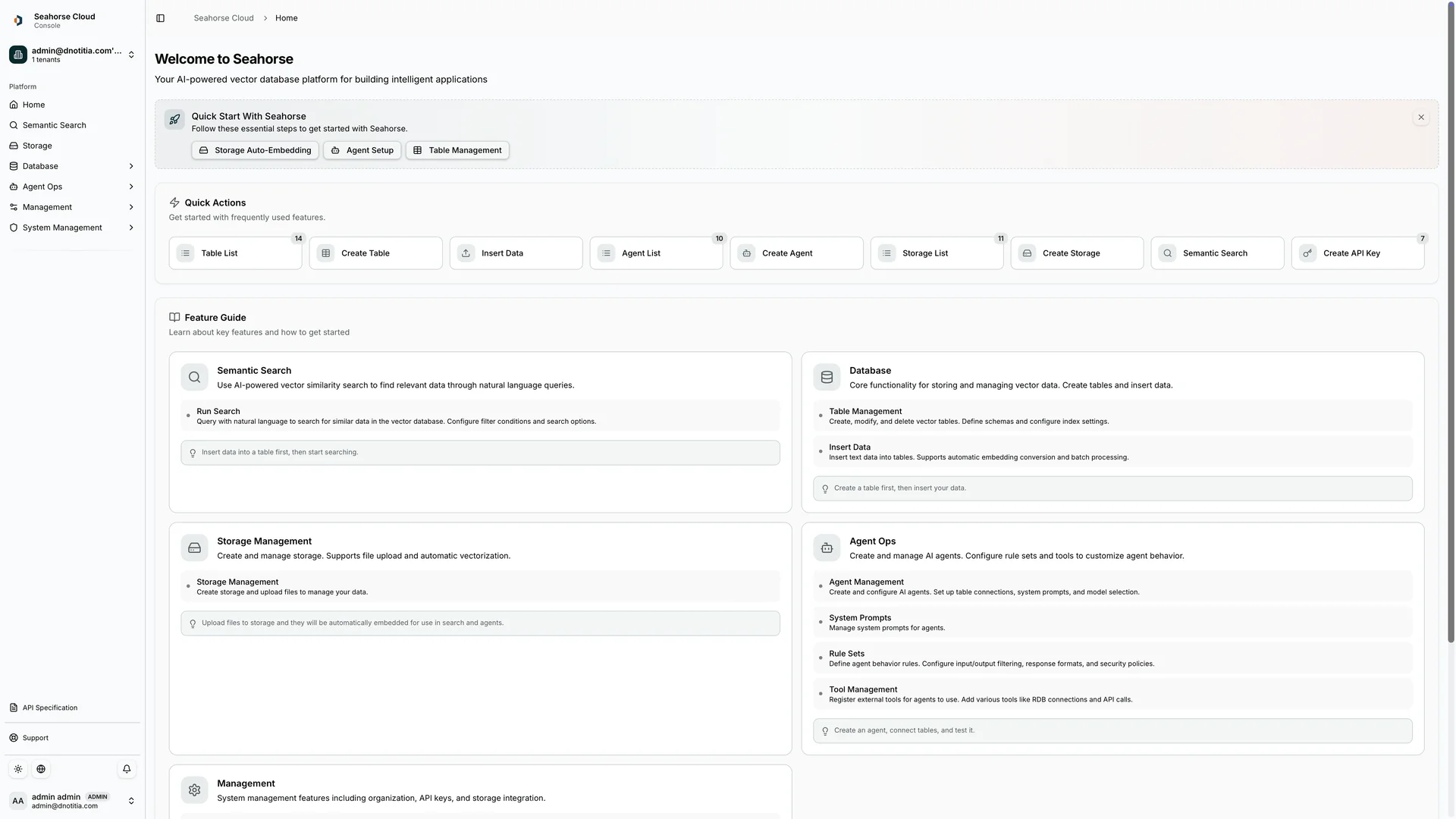
Open the Seahorse Cloud console to explore the platform.